Sheetz Allergen Menu
Eating out with food allergies or dietary restrictions doesn’t have to feel stressful, and Sheetz makes it easier than most convenience stores. The Sheetz Allergen Menu breaks down exactly what’s in your food, so you can order with confidence instead of guesswork.
Whether you’re avoiding gluten, dairy, nuts, or animal products entirely, this guide walks you through what’s safe, what to watch for, and how to customize your order to fit your needs.
To check ingredients before you order, explore the complete Sheetz’s menu.
Sheetz Allergen Menu Overview
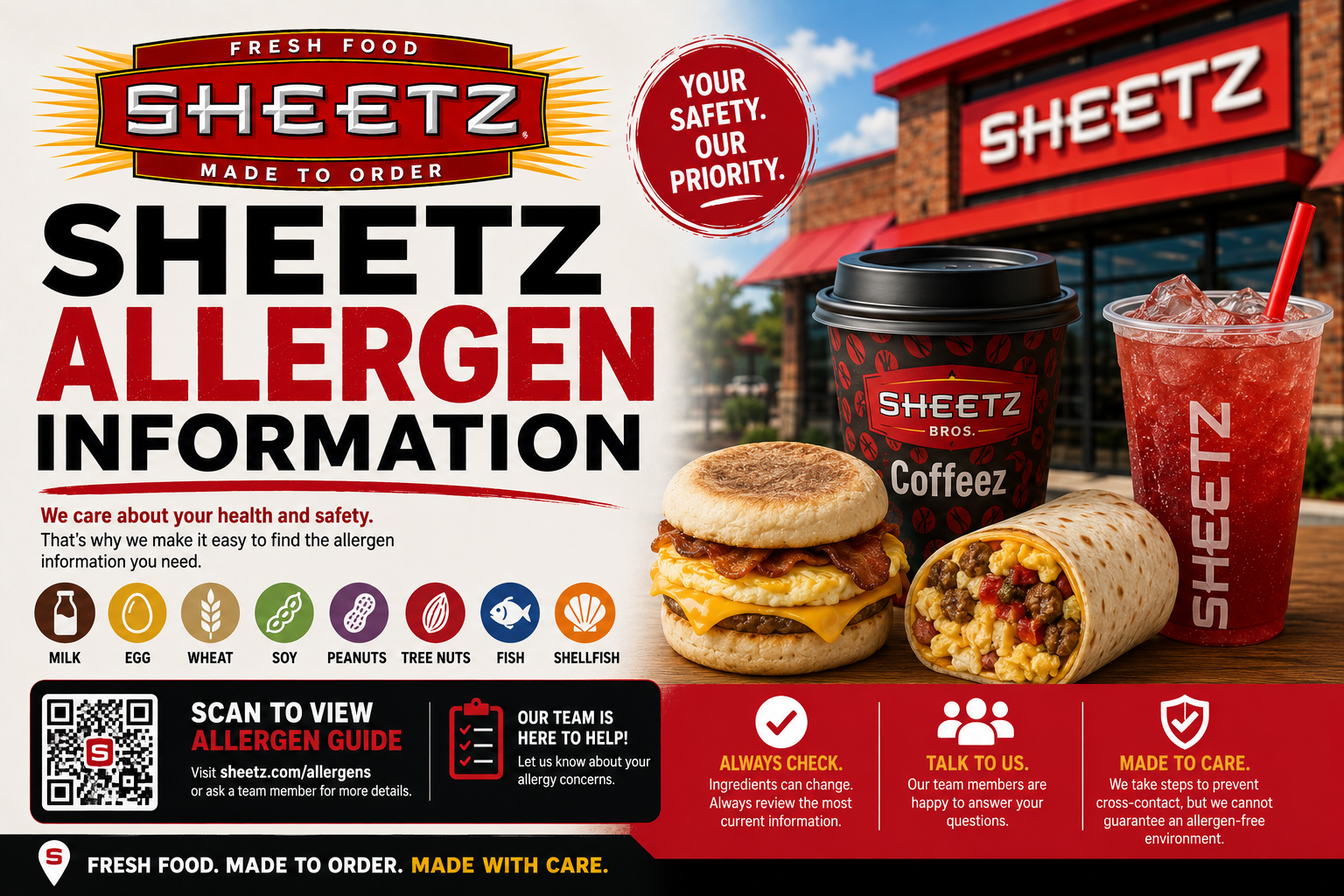
Sheetz lists the major allergens across its menu clearly, covering milk, eggs, wheat, soy, peanuts, tree nuts, fish, and shellfish. You can check this information in-store, through the app, or on the Sheetz nutrition portal before you order.
Since most food is prepared in a shared kitchen with shared fryers and prep surfaces, cross-contact is always possible, even on items built to be allergen-free. If you have a severe allergy, it’s worth letting staff know so they can take extra care with your order.
Sheetz Gluten-Free Options
You’ll find several gluten-friendly picks across the menu, plus a gluten-free sub roll you can swap in for regular bread on most sandwiches.
| Item | Notes |
|---|---|
| Gluten-Free Sub Roll | Available as a bread swap on most subs |
| Grilled Chicken Salad | Gluten-free if you skip croutons |
| MTO Bowls | Skip the bread, keep the protein and toppings |
| Fruit Cups | Naturally gluten-free |
Sheetz Dairy-Free Options
Going dairy-free is fairly simple at Sheetz, especially with non-dairy milk available for coffee and smoothies.
| Item | Notes |
|---|---|
| Non-Dairy Milk (Oat, Almond, Soy) | Available for coffee and specialty drinks |
| Apple Juice-Based Smoothies | Naturally dairy-free base |
| Black Coffee | No dairy unless added |
| Fruit Blend | 100% plant-based, no dairy |
Sheetz Nut-Free Options
While most core menu items don’t contain nuts directly, some bakery items and smoothie add-ins do, so it’s worth double-checking before ordering.
| Item | Notes |
|---|---|
| Grilled Chicken Sandwich | Nut-free unless customized |
| Fresh Fruit Cups | Naturally nut-free |
| Turkey Sub | Free from nuts and shellfish |
| Bakery Items | May contain or be exposed to tree nuts |
Sheetz Egg-Free Options
Eggs show up mainly in breakfast items and certain sauces, so lunch and dinner items tend to be easier to keep egg-free.
| Item | Notes |
|---|---|
| MTO Subs (no mayo) | Egg-free if sauce is skipped |
| Grilled Chicken Salad | Egg-free unless dressing contains egg |
| Fruit Cups | Naturally egg-free |
| Bean and Cheese Burrito | Egg-free, but contains gluten and dairy |
Sheetz Soy-Free Options
Soy tends to hide in bread products and sauces, so it’s one of the trickier allergens to fully avoid without checking labels.
| Item | Notes |
|---|---|
| Fresh Fruit Cups | Naturally soy-free |
| Grilled Proteins (plain) | Soy-free unless sauced |
| Salads (no dressing) | Soy-free base, check dressing separately |
Sheetz Vegan Options
Sheetz gives you a decent range of plant-based choices, especially through the MTO system where you can build your own.
| Item | Notes |
|---|---|
| Fruit Smoothies (apple juice base) | Fully vegan |
| Salads (no cheese or egg toppings) | Customizable to vegan |
| Fruit Cups | 100% plant-based |
| Customizable MTO Sandwiches | Vegan if built without meat, cheese, or egg-based sauces |
Sheetz Vegetarian Options
If you’re vegetarian rather than fully vegan, you’ll have even more flexibility across salads, wraps, and sides.
| Item | Notes |
|---|---|
| Bean and Cheese Burrito | Vegetarian-friendly |
| Mac n’ Cheese | Vegetarian |
| Salads with Cheese | Vegetarian, skip meat toppings |
| Veggie-Based Wraps | Customizable through MTO |
Sheetz Low Calorie Options
If you’re watching your calorie intake, a few smart picks keep your meal lighter without sacrificing much flavor.
| Item | Calories (approx.) |
|---|---|
| Grilled Chicken Salad | ~320 |
| Unsweetened Iced Tea | 0–10 |
| Black Coffee | 0–5 |
| Fruit Cups | 80–150 |
How to Check Allergens on the Sheetz App
Checking allergen info before you order only takes a minute through the app. Here’s how:
- Open the Sheetz app and select your item
- Tap the nutrition or allergen info icon on the product page
- Review listed allergens for that specific build
- Adjust ingredients directly in the app before confirming your order
How to Customize Your Order for Dietary Needs
Building a safer meal is simple once you know what to adjust. Here’s what you can do:
- Use the MTO kiosk to remove or swap ingredients
- Ask for a gluten-free roll on subs and sandwiches
- Request non-dairy milk for coffee or smoothies
- Skip shared-fryer items if you’re avoiding cross-contact
- Tell staff about severe allergies so they can take extra precautions
FAQ’s
Conclusion
The Sheetz Allergen Menu gives you the tools to eat safely, whether you’re managing a food allergy or simply following a specific diet. With clear labeling and full MTO customization, you can build a meal that fits your needs without much hassle.
Just remember that cross-contact is always possible in a shared kitchen, so it’s worth speaking to staff if your allergy is severe. Check the app before you order, and you’ll always know exactly what you’re getting.